A plan for today.
Progress you
can see.
Plan your workouts, log your sets, and know what to lift next. A private strength tracker for iPhone.
Download on theApp StoreYour workouts never leave your iPhone.
For iPhone · iOS 26 or later
Walk in knowing
what to do.
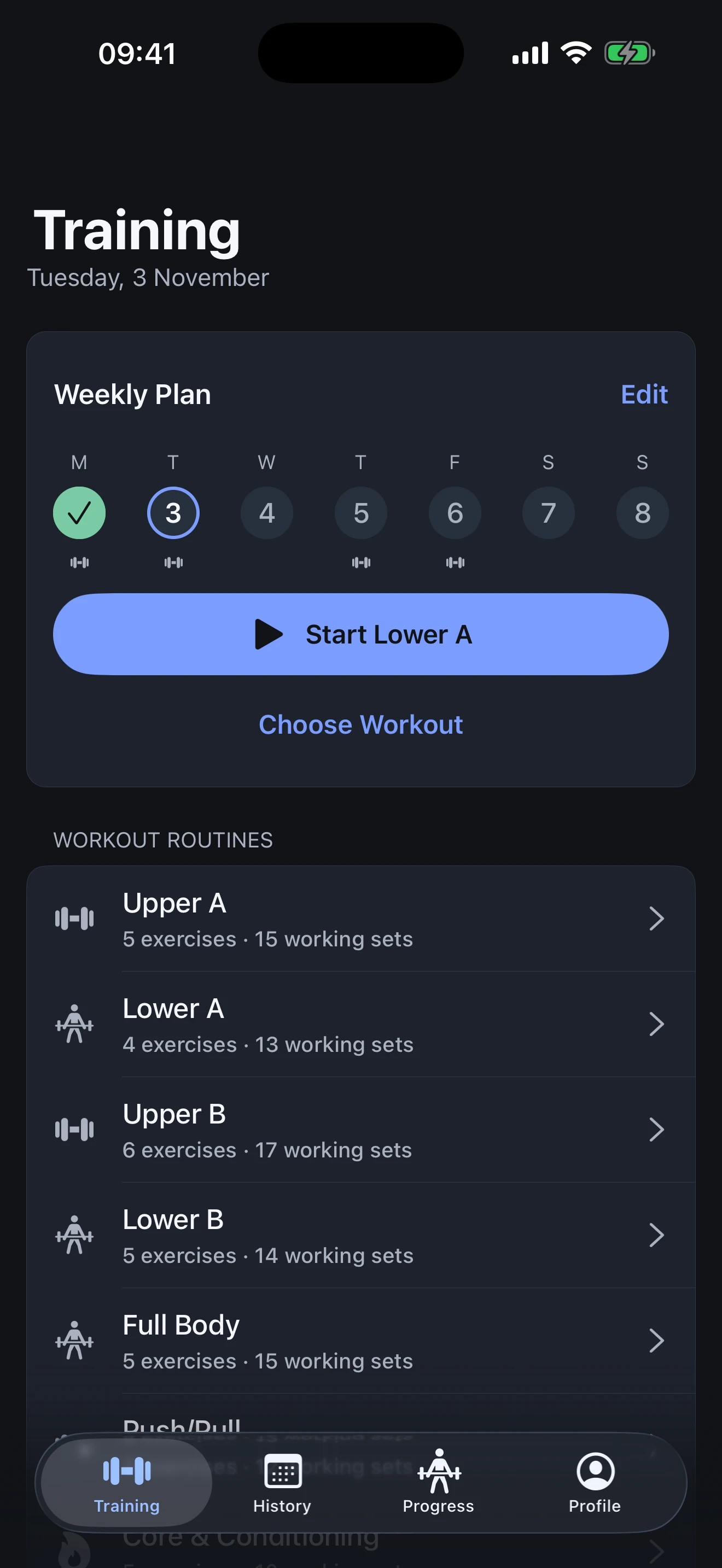
Give your week a plan. Keep the workouts you like close, and start today’s session when you’re ready.
Start with a plan built around your experience, equipment and available time. Change anything to make it yours.
Log the set.
Keep moving.
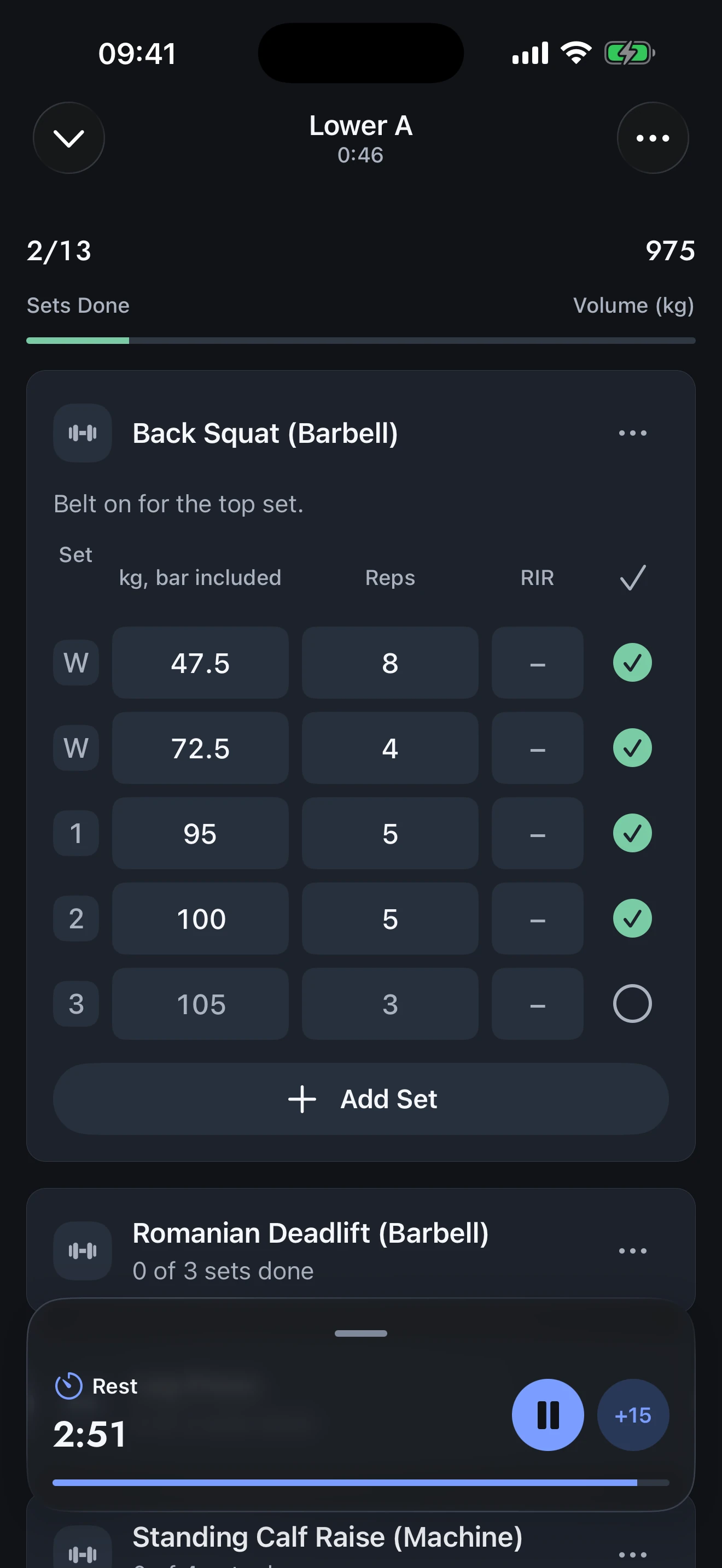
Weights, reps, and how much you had left. Keep the details of your training without losing the rhythm of your workout.
Mark a set done and your rest timer starts. Make adjustments as you go. Record the session you actually did.
Put your
phone down.
Your timer keeps going.
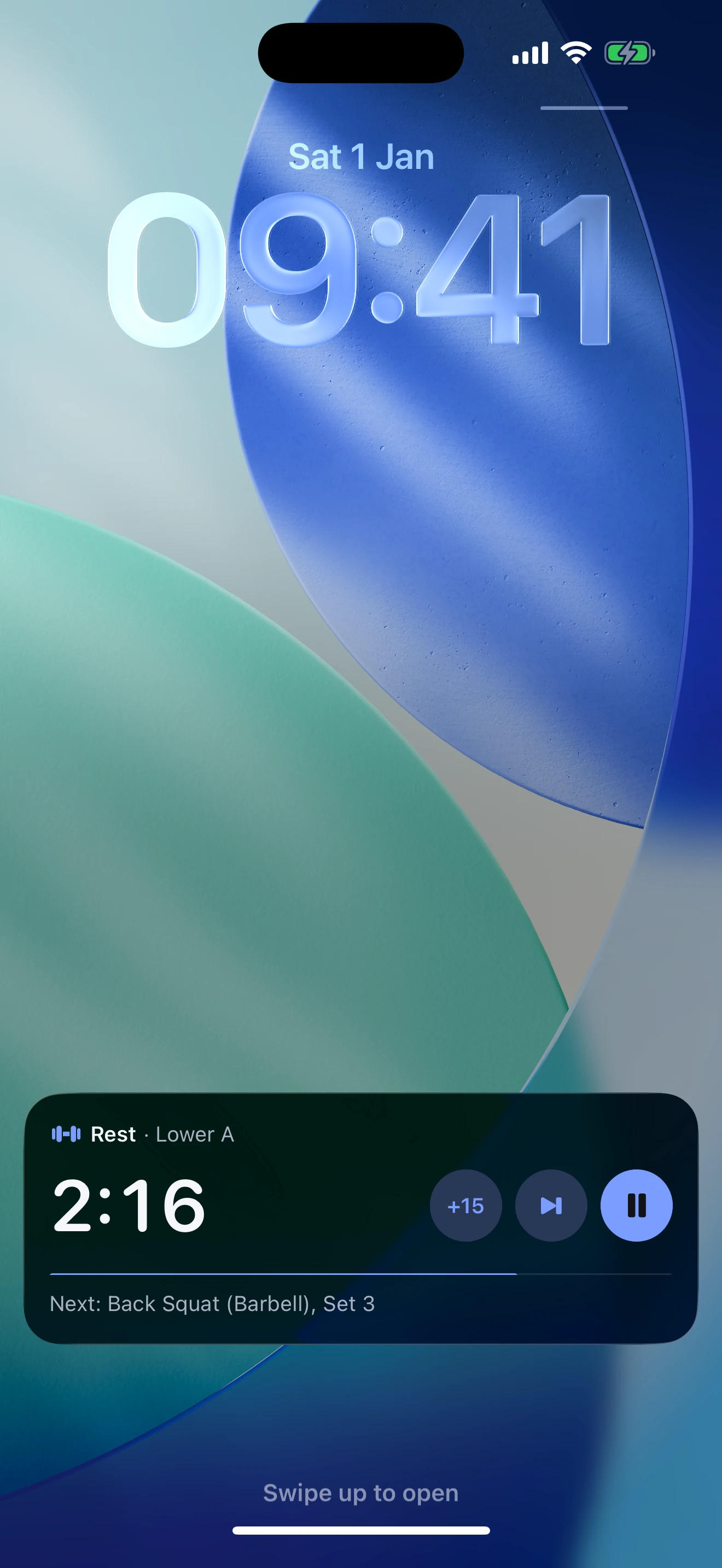
Keep your rest timer on your Lock Screen and in the Dynamic Island. Pause it or add 15 seconds without opening the app.
Choose a notification or an alarm for the end of rest. It all runs on your iPhone, even offline.
See what changed.
Know what’s next.
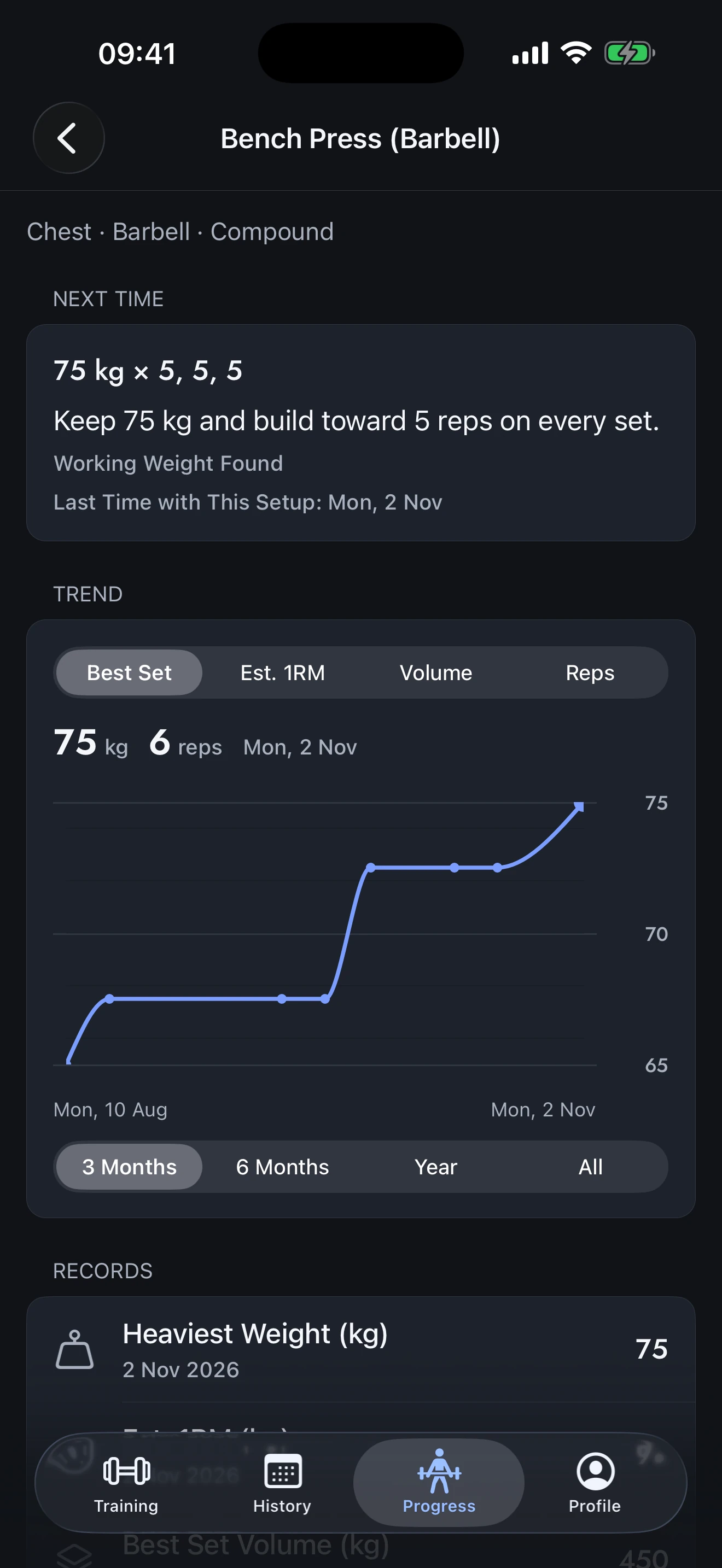
A little more weight. Another rep. Or a weight worth staying with for a while.
Follow your lifts over time, revisit every session, and see a suggestion for your next one. Your history gives the numbers context.
Your training.
Yours to keep.
No account to create. No workout data sent to a server. Your history stays on your iPhone, ready to export whenever you want.
Before your
first set.
Who is FORGE for?
Lifters who want a clear plan and a fast, detailed workout log. Strength training comes first, with light support for cardio and conditioning.
Do I need my own workout plan?
You can use your own routines or start with a suggested plan based on your experience, equipment and time. You can change any part of it.
What do I need to use it?
An iPhone running iOS 26 or later. No account, internet connection or extra sensor is required.
What happens when my rest timer ends?
Choose a notification or the Alarm alert style in Settings. With the relevant permission enabled, an alarm can sound even in Silent mode or Focus. You control notifications, alarms and Live Activities in iOS Settings.
Can I move my workouts to a new phone?
Yes. Export a backup in Settings, transfer it to your new phone, and import it into FORGE. Import replaces the data currently in FORGE. Your profile photo is not included. Apple’s whole-device backups may also include app data.
Does it connect to Apple Health?
Not currently. FORGE does not read from or write to Apple Health.

Your next session
starts here.
Download on theApp StoreFree. No account. Your workouts never leave your iPhone.